


Geometrie
Im Fenster "Geometrie" wird durch Drücken den Schalter die Form der Winkelstützmauer ausgewählt. Bei einigen Wandformen können die Rippen in der Vorder- oder Rückseite der Konstruktion berücksichtigt werden. Die ausgewählte Form erscheint mit einer grafischen im linken Teil des Fensters. Die Form der Wand kann entweder durch der Eingabe von entsprechenden Werten in die Eingabefelder oder mithilfe der aktiven Dimensionen direkt in der Arbeitsoberfläche bearbeitet werden.
Für den Fall, dass die Konstruktion aus schrägen Formen besteht, ist es erforderlich, das Verhältnis der Seiten 1:x eines geneigten Segments anzugeben. Eine gerade Konstruktion wird durch Eingabe des Wertes Null bestimmt.
Wenn die vordefinierten Wandformen nicht ausreichen, ermöglicht das Programm die Eingabe einer allgemeinen Form des Wandkörpers.
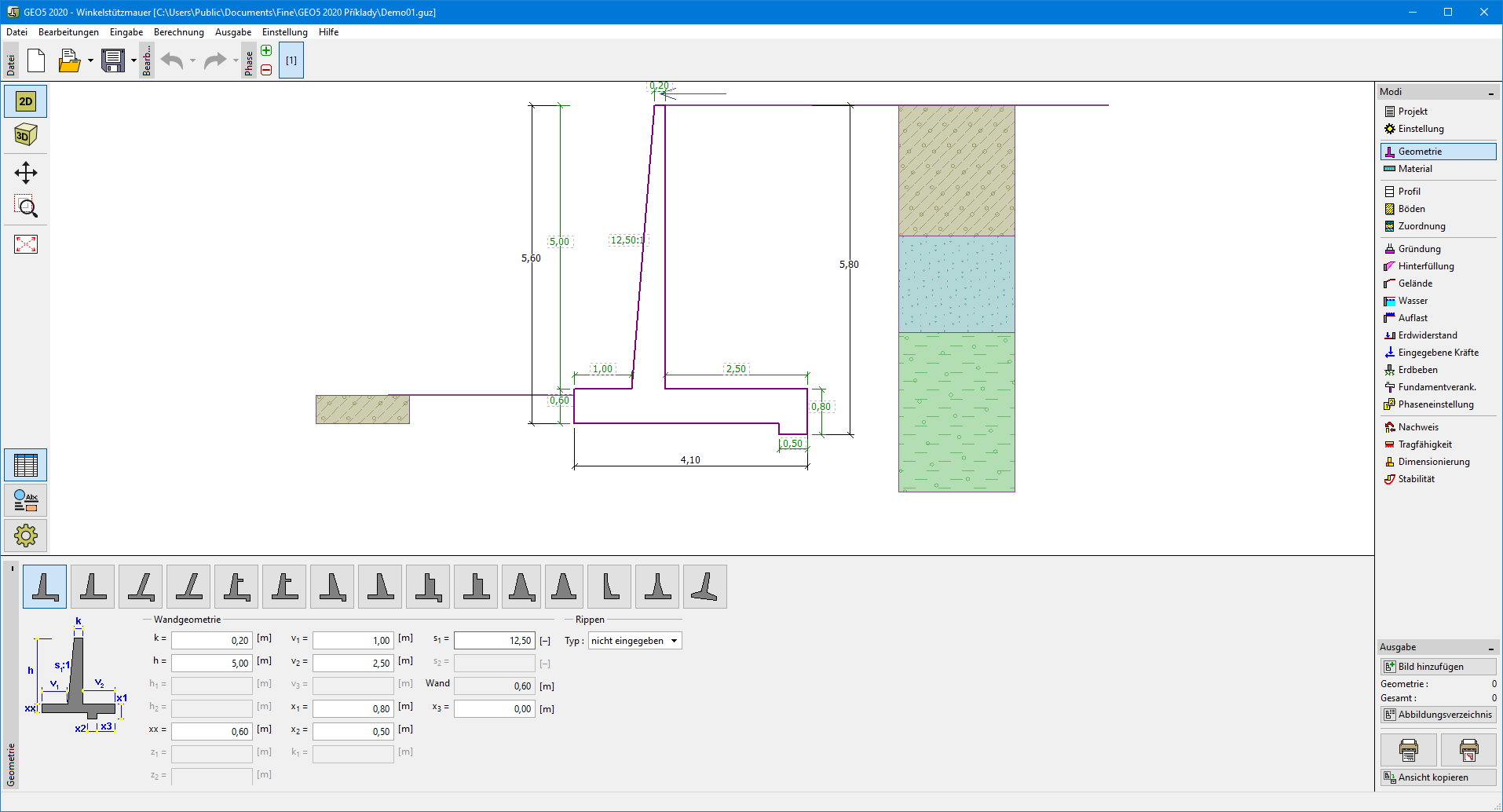 Eingabe der allgemeinen Wandkörperform
Die allgemeine Wandkörperform wird über die Koordinaten von Punkten definiert. Alternativ können die Koordinaten auch automatisch erzeugt werden, indem die Schaltfläche „Allgemeine Form erzeugen“ betätigt wird (Übernahme aus einer bereits vordefinierten Wand).Die allgemeine Form kann nicht für Konstruktionen mit geneigtem Wandkörper, Entlastungsplatte oder Gegenfortsätzen verwendet werden. Die Punkte des Wandkörpers dürfen keinen Sprung bilden.
Das Programm ermöglicht den Export der Geometrie einer Konstruktion in das CAD Format.
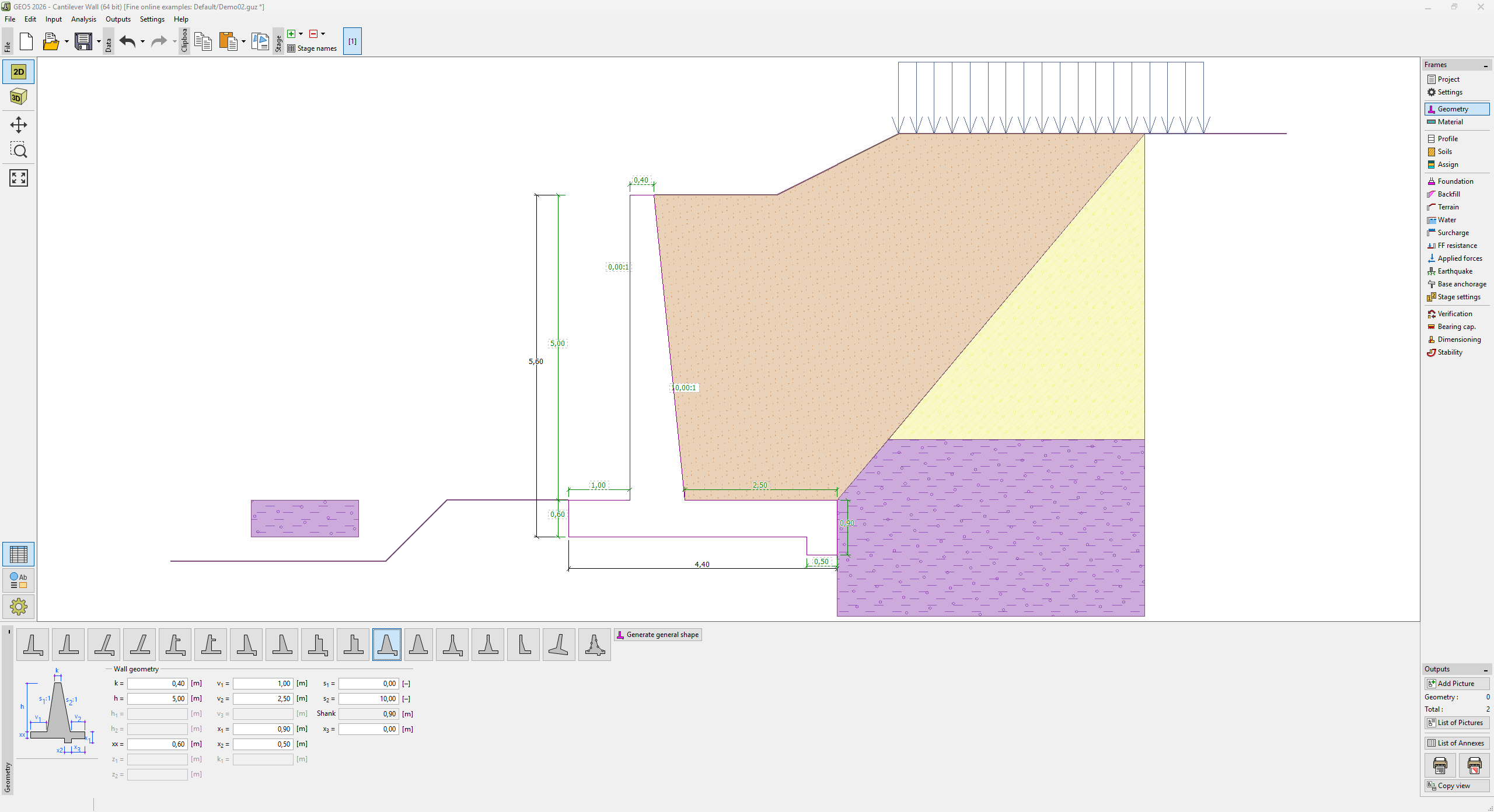 Fenster "Geometrie"